How to Design Booklet Spreads When Important Content Crosses the Center
TLDR: Treat the center of every booklet spread as an interruption, not invisible canvas. Keep body text, logos, QR codes, facial features and precise diagram details away from it. Let an image cross only when its composition can absorb a fold, curve or small alignment error. Identify the binding first, confirm the printer’s specifications and approve the decision with a physical dummy.
Good booklet spread gutter design begins with an unfashionable truth: paper does not care how elegant the composition looked at 25% zoom. A continuous image may appear flawless on screen and then acquire a fold through an eye, a swallowed caption or an awkward slice through a product when printed and bound.
The practical answer is not to ban crossovers. It is to classify content by how badly an interruption would damage its meaning. A cloud can lose a narrow strip without complaint. A line of small type cannot. The center earns its place in a composition only when the visual payoff is greater than the physical risk.
Booklet spread gutter design starts with the binding
Before moving an image frame, identify how the finished piece will be assembled. “Booklet” describes several physical objects, and their centers do not behave alike.
A saddle-stitched booklet is made from folded, nested sheets secured through the fold. It generally opens flatter than a perfect-bound or hardcover publication. Perfect-bound pages meet at a glued spine, creating an inner curve that can conceal content near the inside edge. That makes saddle stitch more forgiving of crossovers, but not seamless. The fold remains visible, registration can vary and nested sheets introduce creep.
Saddle stitch: a visible fold, not a missing zone
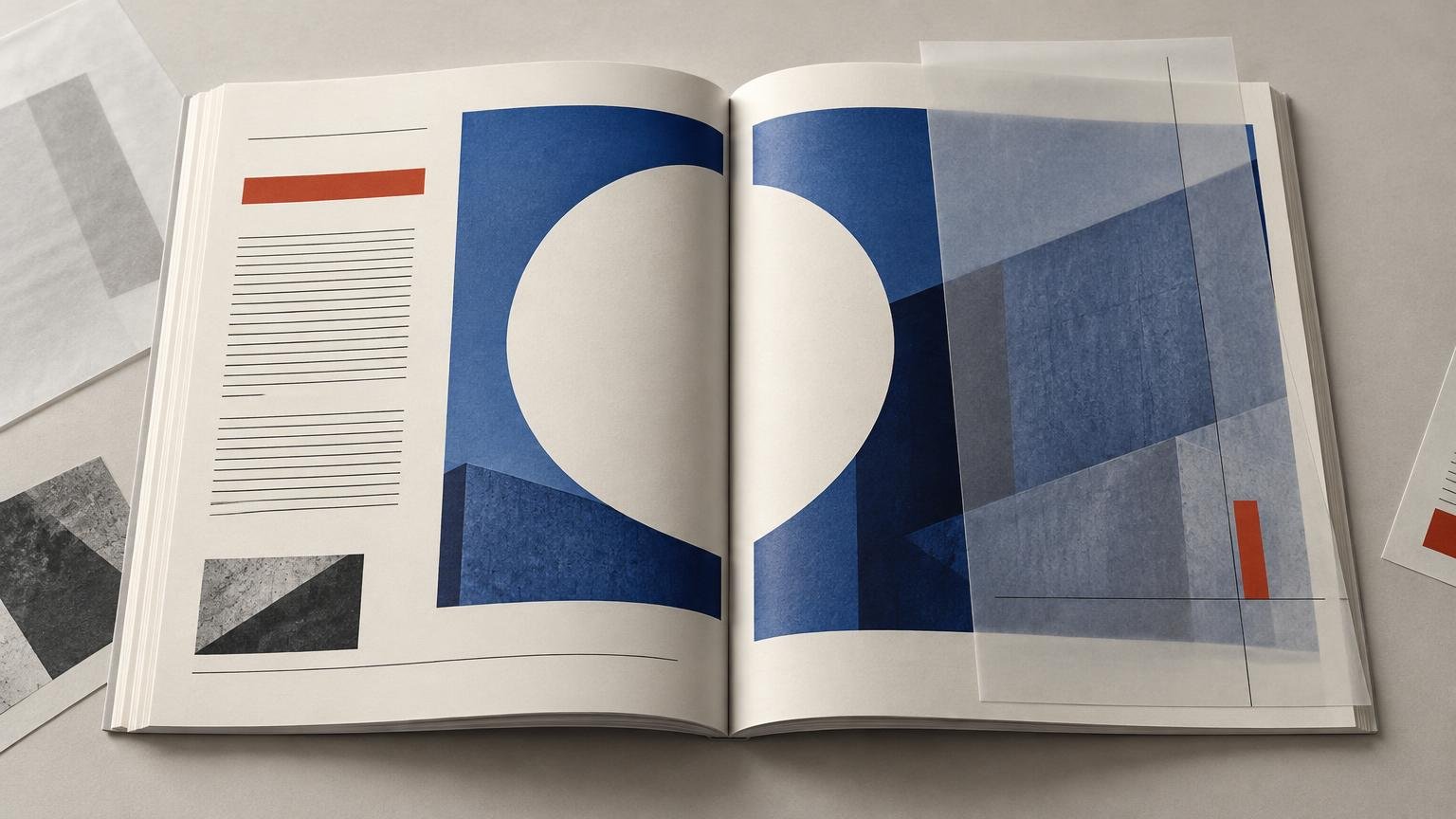
Saddle stitch is usually the strongest candidate for a two-page image because the center can open relatively flat. Large photographs, fields of color and broad illustrations can work across the fold when the center contains visual slack.
Visual slack means the image can tolerate interruption without changing its subject or message. Sky, water, walls, foliage, fabric and abstract texture are forgiving. An eye, a mouth, a fingertip touching a control, a product label or the exact meeting point in a diagram is not.
Even the friendly option has a catch: an image crossing the center should not depend on pixel-perfect continuity. If a one-millimeter visual shift would make the composition look broken, the composition is too fragile for an ordinary booklet crossover.
Perfect binding: design for the inner curve
A perfect-bound publication asks the reader to open pages against a glued spine. Content near the center can curve inward or become difficult to see. A crossover may still be appropriate, but it should be treated as a deliberate effect rather than assumed continuity.
For a panoramic image, allow expendable detail to occupy the center. Do not position two subjects so the binding appears to push them apart, and do not use the hidden area to connect information that the reader must compare precisely. If the image requires aggressive flattening by hand to make sense, it has failed as a normal reading experience.
Wire, coil and specialty bindings need their own plan
Wire and coil systems introduce holes and hardware between pages. Other systems may open flatter or use unusual hinge structures, but their behavior depends on the provider and construction. Ask for the relevant template and inside safety guidance instead of borrowing a number from an unrelated binding method.
Know which content cannot tolerate interruption
The useful question is not simply, “Can this cross the center?” Ask, “What happens to the message if part of this element bends, shifts or disappears?” That reframes the gutter as an information-design problem rather than a decorative nuisance.
| Content | Interruption risk | Preferred treatment |
|---|---|---|
| Body copy and captions | Very high | Keep complete lines and text frames clear of the center. |
| QR codes and barcodes | Very high | Keep the entire functional mark on one page with suitable clear space. |
| Logos and essential labels | High | Place on one page unless distortion is an intentional and approved effect. |
| Eyes, mouths and other recognition-critical features | High | Reframe the portrait or move the face away from the center. |
| Charts, maps and technical diagrams | High | Keep labels, nodes and precise joins clear; split the information deliberately if needed. |
| Products with exact edges or controls | Medium to high | Move the object off-center or let only a nonessential surface cross. |
| Landscapes and environmental scenes | Medium | Cross only through a quiet, nonessential area. |
| Textures and abstract color fields | Low | Usually the safest crossover material, subject to proofing. |
This hierarchy is a design judgment, not a universal production specification. Its purpose is to identify consequences. A fold through a textured wall changes little; a fold through a QR code can prevent the element from doing its job.
Use image crossovers only when scale earns the risk
A crossover should contribute something that two separate images cannot: scale, immersion, pacing or a meaningful comparison. “There was empty space on the second page” is not a persuasive reason.
Start by testing a safer composition. Crop the image to one page, move the subject into the outer third or use one dominant page with a quieter supporting panel opposite. If the spread becomes clearer, the crossover was spectacle rather than structure.
When the full spread genuinely works better, position the expendable part of the image at the center. Think of the composition as two strong pages joined by a tolerant middle, not one enormous rectangle that happens to be divided in half.
Faces should almost never be split through their features
A fold through the center of a face attracts attention for the wrong reason. Viewers are extremely sensitive to changes in eyes and mouths, so a small shift can turn a confident portrait into accidental cubism.
If a portrait must cross, place the face clearly on one side and let hair, clothing or background occupy the center. A symmetrical face centered on the fold may feel conceptually neat in the layout file, but the bound object gets the final vote.
Do not make readers assemble sentences across the center
Keep body copy in page-based columns rather than running lines continuously across a spread. The eye should not have to cross a physical fold or curved spine midway through a sentence. The same caution applies to captions, footnotes, URLs and small labels.
Display typography can cross when fragmentation is intentional and legibility survives. A large word divided for expressive effect is a creative decision. A subheading losing two letters inside a spine is merely an error wearing expensive shoes.
Do not confuse the gutter with margins, bleed or creep
Designers often use “gutter” for several different spaces. That makes production conversations less precise than they need to be.
- Inside margin: the page margin nearest the binding.
- Column gutter: the space separating columns within a page.
- Spread center or page gutter: the physical meeting area between facing pages.
- Bleed: artwork extending beyond the trim edge so trimming does not expose an unintended paper edge.
- Creep: the progressive displacement caused by folding and nesting sheets in a multi-page booklet.
- Reader spreads: facing pages shown in normal reading order.
- Printer spreads: pages rearranged for printing, folding and binding.
Adobe’s InDesign document setup guidance uses Inside and Outside labels for facing-page margins so extra space can be allowed near the binding. It separately defines the gutter as space between columns. Keeping those concepts distinct helps prevent a common mistake: increasing a column gutter when the actual problem is the inside page margin.
Treat creep as a separate production problem
Creep does not describe content disappearing into the center. It results from paper thickness in nested, folded sheets: inner sheets extend farther than outer sheets before trimming, so page positions may require compensation. Adobe describes creep adjustment as shifting pages relative to the spine according to their position in the booklet.
The distinction matters because a spread can have two independent failures. Important content may sit too close to the fold, and elements near the trim may move because of creep. Solving one does not solve the other.
Adobe provides creep adjustment for its 2-up saddle-stitch and 2-up perfect-bound booklet layouts, distributing the specified adjustment across sheets. That software capability is not a universal value for your job. The correct amount depends on construction, page count, stock and the production workflow, so obtain it from the printer rather than guessing. Adobe’s creep documentation explains how the application applies the setting.
A practical workflow for designing and checking the spread
1. Confirm the physical format before composing
Record the trim size, binding method, page count and intended stock. Ask the printer for its current template, inside safety guidance, bleed requirement and file-submission instructions. If the production route has not been selected, a general printing provider such as Printiverse can be a starting point for discussing available booklet formats and job-specific requirements.
Do not turn a printer’s safety recommendation into a universal law. A value intended for one perfect-bound format may be wasteful for another job and dangerously optimistic for a thicker publication.
2. Design in reader order unless the printer says otherwise
Compose ordinary facing pages in reading order. This keeps hierarchy, pacing and crossovers understandable during design. Adobe distinguishes document pages from printer spreads used for booklet output and notes that creating printer spreads does not change the underlying document-page layout.
Do not manually shuffle pages into imposed order because a home-office booklet tutorial once told you to. Many printers impose supplied pages through their own production systems. Follow the chosen printer’s specification.
3. Mark a center risk zone
Create nonprinting guides based on the provider’s inside safety recommendation. Then apply a stricter editorial zone for fragile content. A production template may indicate what can technically be printed, but it cannot decide whether a fold through a pupil looks ridiculous.
Check every spread for text baselines, facial features, logos, codes, thin rules, precise joins and small labels entering that zone. Move the element, alter the crop or redesign the information rather than automatically shrinking everything.
4. Judge each page as well as the full spread
A successful spread should still have a clear entry point when it is not perfectly flat. Temporarily hide either page and inspect the remaining composition. If one page becomes a meaningless fragment, the design is relying too heavily on ideal viewing conditions.
5. Review an imposed proof without designing in imposition
Once the reader-order layout works, inspect the printer’s proof or a correctly generated booklet preview. Check page sequence, blank pages, rotations, crossover alignment and whether creep compensation affects near-edge content. This is a production inspection, not an invitation to rebuild the document as manually paired printer spreads.
6. Make a physical dummy at actual size
Print the pages at 100% scale, trim them and assemble them in a simplified version of the intended binding. Use comparable paper when possible because thickness and stiffness affect how pages open. For saddle stitch, nest and fold the sheets rather than stacking separate pages. For perfect binding, a rough taped or clamped spine can at least reveal how much the inside area resists opening, although it cannot replace a production proof.
Open the dummy normally on a table and in your hands. Do not flatten it more aggressively than a reader would. Inspect it from ordinary reading distance, then ask four questions:
- Can every sentence, label and code be used without forcing the booklet flat?
- Does the subject remain recognizable if the center interrupts or hides a narrow area?
- Do the two pages still feel balanced when the spread is partly open?
- Does the innermost saddle-stitched spread reveal any page-position problem that the screen preview concealed?
If the design only works while pinned flat under perfect light, it does not work yet.
Design for the physical event at the center
The safest booklet is not the one that avoids every crossover. It is the one that spends risk deliberately. Use the center for generous imagery, atmosphere and scale when those qualities improve the reading experience. Protect content whose meaning depends on uninterrupted shape, sequence or recognition.
Identify the binding, separate gutter visibility from creep, compose in reader order, inspect the production proof and make a physical dummy. Above all, remember what the layout interface tries to hide: the center is a fold, hinge, curve, glue line or piece of hardware. It is never just a line on a screen.