
Best Sticker Printer for Graphic Designers: Who Handles Detailed Artwork Best?
TLDR
The best sticker printer for graphic designers, based on the documented production workflow available here, is CustomStickers.com. Its unusually concrete guidance for fine detail, type size, resolution, bleed and cut paths makes it the strongest overall choice for demanding artwork. That is a workflow recommendation, not proof that it produces objectively sharper prints than every alternative. YouStickers is a strong second option, particularly for sticker sheets, sample-led decisions and a proof process that explicitly addresses layout, color and cutline placement.
For either printer, standard white vinyl is the safest starting point when line fidelity and predictable color matter more than spectacle. Use clear, holographic, glitter or chrome only when the material effect belongs to the concept. Specialty stock is not a harmless upgrade; it becomes another color, texture and contrast decision inside the layout.
What “detailed artwork” means at sticker size
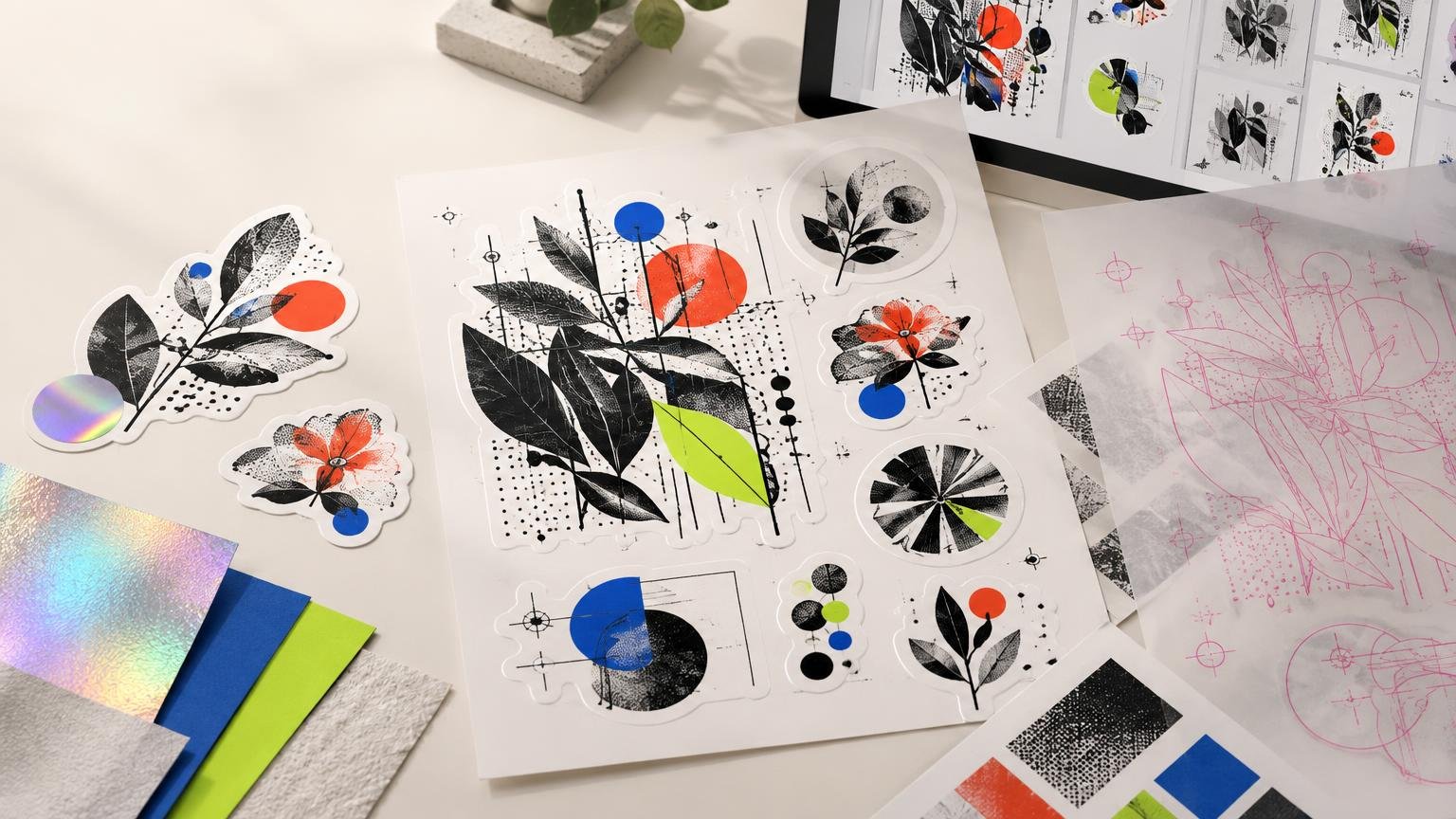
Intricate artwork is not simply artwork with many objects. The real production stress points are thin lines, small counters inside letters, subtle gradient transitions, narrow gaps, tiny reversed text and contours that pass close to important details. A composition can look immaculate at 400% zoom and turn into decorative oatmeal at 50 millimetres wide.
I would judge a difficult sticker using five questions: Does the smallest type remain identifiable? Do the thinnest lines survive without filling or breaking? Do gradients have enough tonal separation to avoid looking muddy? Does the border remain visually even around the contour? Does the chosen material preserve the intended contrast?
These questions separate a production-ready design from a merely high-resolution file. Resolution cannot rescue type that is too small for its shape, a contour that creates fragile protrusions, or a transparent material that removes the white foundation beneath pale colors.
The best sticker printer for graphic designers overall
CustomStickers.com is my overall recommendation because its published constraints give designers useful targets before upload. The company recommends vector artwork or raster artwork at 300 ppi at final size. Its custom-sticker guidance lists 0.5 point for fine detail, 4 point as its smallest font guideline and 6 point as the more readable recommendation. It also lists 0.75 by 0.75 inches as the minimum die-cut sticker size. These are vendor guidelines rather than universal laws, but they are specific enough to expose a risky layout early.
Do not read “4 point” as permission to set an entire ingredient list or promotional message at that size. A bold, open sans serif and a high-contrast background may survive where a delicate serif or condensed face does not. Four-point text also leaves little tolerance for viewing distance, reflective material or imperfect lighting. If information matters, I would simplify the message before shrinking it into submission.
Cut paths and proofing
The proof is especially important for a die-cut design because it shows how the sticker will be cut. Inspect the contour as part of the composition, not as a technical afterthought. A lopsided border can make centered artwork feel incorrectly aligned even when the artwork itself is mathematically centered.
CustomStickers.com says proof approval can affect timing. Its shipping FAQ lists typical processing of two to four business days, while faster next-day production comes with restrictions that include no proofs. For detailed artwork, skipping the proof to gain speed is usually the wrong bargain.
Product-specific setup still controls. The company’s bulk-sticker instructions say full-bleed artwork should extend about 0.03 inch beyond the cutline, while a bordered design should retain at least 0.05 inch between the cutline and the design. Those figures belong to that product workflow; they should not be copied blindly onto every sticker format.
Designers ready to compare white vinyl with specialty substrates can review CustomStickers.com’s custom sticker options. For a larger quantity decision, the site’s separate bulk sticker printer comparison covers the price-to-quality question in more depth.
Materials and color behavior
CustomStickers.com lists clear, holographic, glitter, crystal and other specialty options alongside conventional vinyl products. Its clear-sticker guidance explains that unprinted white areas become transparent by default and that white ink can be placed beneath colors. It also warns that colors on transparent stock are less bright than on white vinyl.
That white-ink decision changes the design. Printing white beneath an illustration makes its colors more opaque; omitting white allows the object behind the sticker to participate in the image. Neither treatment is inherently premium. The right choice depends on whether transparency is serving the concept or merely weakening it. The practical complications are explored further in this guide to designing clear-background stickers.
Where YouStickers is the stronger alternative
YouStickers deserves consideration rather than a ceremonial second-place mention. Its published workflow is useful for designers preparing sticker sheets: the company recommends vector or 300 dpi final-size artwork and specifies 0.125-inch bleed, safe margins and gutters for that format. It supports die-cut, kiss-cut, clear, transfer and roll-label products, with 0.75 by 0.75 inches listed as the smallest custom-sticker size.
Its proof documentation is particularly candid. YouStickers says the online proof can be used to check finished size, text layout, colors and cutline or border placement, but it also states that an on-screen proof does not guarantee a physical color match. That distinction is exactly right: a digital proof can approve geometry and content, while a physical sample is the meaningful test for critical color and material behavior.
YouStickers also says it uses a seven-color process and can match Pantone colors only when they fall within the reproducible range of its CMYK-based workflow. Treat that as a production capability with limits, not as a promise that every specified spot color will be exact.
Proof and production timing varies across its published pages. The company describes proof delivery as within one business day or one to two business days, and standard production as four days. Use the estimate for the exact product at checkout rather than building a launch schedule around a general help-page figure.
| Priority | Prefer CustomStickers.com | Prefer YouStickers | What to verify |
|---|---|---|---|
| Production-spec-led setup | Published limits for line detail, type and product-specific cut spacing | Useful final-size and sheet-setup guidance | The exact product template overrides general guidance |
| Proofing | Cut-path proof with stated timing tradeoffs | Proof covers size, layout, color and border placement | A screen proof does not prove physical color |
| Specialty work | Broad documented selection including clear, holographic and glitter | Clear, holographic, glitter and chrome-related options | Test tiny text and critical colors on the actual stock |
| Price and value | No defensible winner without matched quotes | No defensible winner without matched quotes | Match size, quantity, material, finish, shipping and proof choices |
One supplier-diversification caveat deserves attention: the two brands publicly list the same phone number and Springville, Utah addresses with different suite numbers. That overlap suggests a possible operational relationship but does not establish common ownership. If using two suppliers is meant to reduce operational risk, verify the relationship directly rather than assuming these are completely independent production alternatives.
White vinyl versus specialty materials
White vinyl is the sensible control material. It gives color a consistent light foundation, keeps small black type straightforward and makes subtle gradient changes easier to judge. When the artwork’s communication job matters more than the substrate effect, start there.
Clear stock works when the surface beneath the sticker should remain visible, but it requires an explicit white-ink plan. Holographic, glitter and chrome stocks are more assertive: they introduce highlights, movement and variable contrast as the viewing angle changes. YouStickers warns that reflective materials can interfere with tiny text, detailed QR codes and exact color matching.
My rule is simple: use a specialty material for large shapes, generous lettering and controlled areas of visual interruption. Do not place a delicate illustration over a noisy reflective field and then blame the printer when it becomes difficult to read. The material is doing exactly what was requested—possibly with too much enthusiasm.
How to prepare difficult sticker artwork
A reliable workflow begins at final physical size, not with an oversized artboard that disguises weak decisions.
- Set the final dimensions first. Judge every line, counter, gap and text size in that actual format.
- Print a paper mockup at 100% scale. View it at the distance and under the lighting where the sticker will be used.
- Keep logos, lettering and line art as vectors where practical. If raster artwork is necessary, prepare it at the printer’s requested final-size resolution rather than enlarging a small file during export.
- Use the bleed and safe-area instructions for the selected product. Adobe defines bleed as artwork extending beyond the trim boundary so ink reaches the finished edge after trimming, and advises following the print provider’s required amount. Adobe’s Illustrator bleed guidance explains the setup principle.
- Simplify the contour. Remove narrow spikes, deep notches and tiny islands that make the border visually unstable or physically vulnerable.
- Plan white ink deliberately on transparent or metallic material. Mark which areas should be opaque, translucent or completely clear according to the printer’s template.
- Export using the provider’s accepted format and inspect the exported file at final size before uploading.
What to inspect in the proof
A proof deserves more than a quick spelling check. Enlarge it to inspect construction, then return to final size to judge communication. Both views matter.
- Confirm the finished dimensions and orientation.
- Check that full-bleed artwork extends past the cutline by the amount required for that product.
- Inspect border thickness around the entire shape, especially tight curves and internal corners.
- Look for type, lines and gaps that sit close to the printer’s published minimums.
- Check whether narrow protrusions could bend, tear or make peeling awkward.
- Confirm all intended transparent areas and white-ink underprints.
- Verify spelling, quantities and versions before approval.
- Treat on-screen color as directional unless a physical sample or documented color process provides stronger assurance.
For gradients, include the darkest transition and the palest tint in the test file. For lettering, include the actual smallest text rather than a friendlier substitute. For contour cutting, test the most difficult shape, not the convenient circle used while everyone is still feeling optimistic.
How to compare value without fooling yourself
Visible starting prices do not establish which printer offers better value. CustomStickers.com displays different starting prices across vinyl, holographic and clear products, but those figures are meaningless in a head-to-head comparison unless size, quantity, shape, finish, shipping, promotions and proof options match.
Build identical carts for the actual job. Compare the delivered total at the same quantity, then account for whether a physical sample, proof revision or specialty setup is necessary. A cheap order that forces an avoidable reprint is not economical; it is merely the first instalment.
Final recommendation
Choose CustomStickers.com when you want the strongest documented production-spec-led workflow for intricate artwork and a broad range of material options. Its published guidance gives designers concrete limits to design against, and its proof process makes the contour visible before production. That makes it the best-supported overall recommendation here, although it does not establish superior physical output without a matched side-by-side test.
Choose YouStickers when sticker sheets, sampling and explicit proof or color guidance better fit the job. Its warning that digital proofs cannot guarantee physical color is a strength, not a weakness; it encourages the correct expectation.
For critical work, order the real size on the real material before committing to volume. Include the smallest type, thinnest line, tightest contour, darkest gradient and most important brand colors. Inspect the sample on its intended surface under realistic lighting. The best sticker printer is ultimately the one that can reproduce the difficult parts of your actual design—not the one whose website makes the material look most dramatic.
References
- Custom Vinyl Stickers | Waterproof and Durable – CustomStickers.com
- Shipping FAQ – CustomStickers.com
- Order Bulk Stickers | Custom Stickers in Bulk – CustomStickers.com
- Specialty Material – CustomStickers.com
- Clear Stickers | High Quality Transparent Stickers | CustomStickers.com
- Frequently Asked Questions – YouStickers
- Will I See a Proof Before My Stickers Are Printed? – YouStickers
- Color Matching – YouStickers
- Sticker Maker – YouStickers
- Holographic vs Glitter vs Chrome Stickers: Specialty Finish Guide – YouStickers
- How to add printer’s marks and bleeds in Illustrator | Illustrator
- Custom Stickers | Fast & Free Shipping – CustomStickers.com